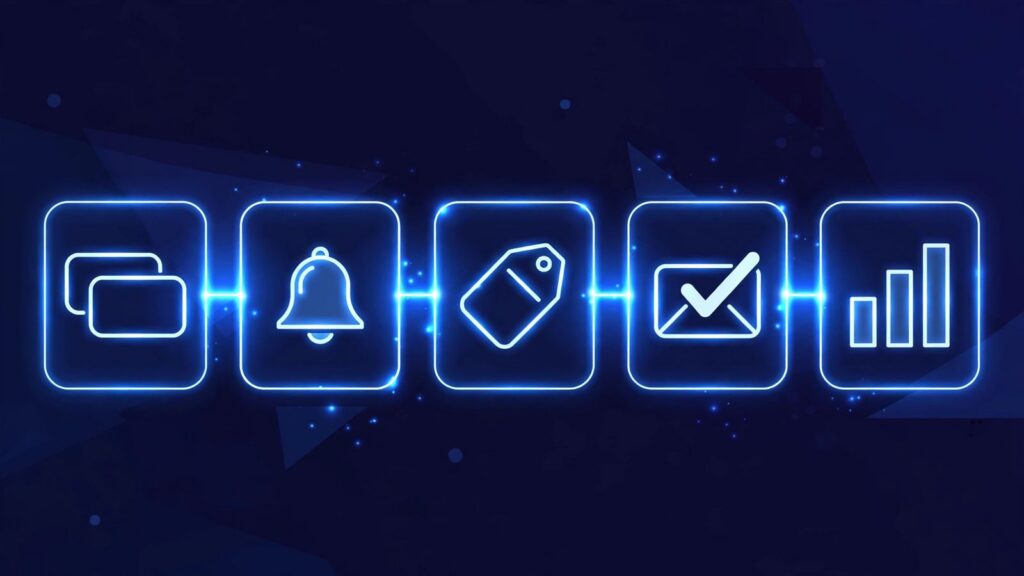
Five CRM tasks should never be done by hand: cleaning up duplicate contacts, sending renewal reminders, tagging customers, closing the loop when a deal is won, and building the weekly pipeline report. In the video, each of these runs as an automation inside the CRM. Duplicates get found and merged into one clean record. A reminder goes out 30 days before a contract ends. Contacts get sorted by what they bought and how often. Marking a deal won creates the invoice, assigns onboarding, and sends a welcome email. And every Monday morning the team sees a pipeline report without anyone building it.
Why do these five tasks belong to the CRM, not your team?
The video opens with a simple test: if a task follows the same rule every time, a person should not be the one doing it. All five tasks on this list are rule based. A contract ends on a known date. A won deal needs the same three follow-ups every time. None of them needs judgment in the moment, which makes them safe to automate.
The video closes with the flip side. If your team still does these by hand, they are working for the CRM instead of the CRM working for them. Every hour a person spends feeding the CRM by hand is an hour the tool costs work instead of saving it.
Task 1: Why should duplicate cleanup never be done by hand?
The first task is cleaning duplicates. In the video, the same customer gets entered three times with three spellings, and now the business has three partial records instead of one customer. Automation finds those matching records and merges them into one clean record.
Done by hand, this job never really gets done. Nobody sets aside an afternoon to hunt for near matching names, so duplicates pile up quietly. Then a follow-up goes to the wrong record, or a report counts one customer as three. An automatic merge rule keeps the database honest every day.
For example, as an illustration: a customer orders twice, once under “Mike” and once under “Michael”, with the same email. The automation spots the shared email and merges the records, so the full order history sits on one card.
Task 2: How do renewal reminders work without anyone watching dates?
The second task is renewal reminders. In the video, 30 days before a contract ends, two things happen on their own: the client gets a check-in, and your team gets a task. Nobody has to remember the date, because the CRM already holds it.
The pairing is the point. The client hears from you while there is still time to talk, not after the contract has quietly lapsed. And the team task means a person follows up on the reply. The automation handles the remembering; your team handles the conversation.
For example, as an illustration: a service contract ends on the 30th. On the 1st, the client gets a short check-in message and the account owner gets a task to call that week. The renewal talk starts a month early instead of becoming a surprise at month end.
Task 3: How should customers get tagged without manual sorting?
The third task is tagging customers. In the video, every contact gets sorted by what they bought and how often, so your next offer goes to the right people. The tags build themselves from purchase history that is already in the CRM.
Hand tagging fails in a predictable way: the first fifty contacts get tagged carefully, then the job gets busy and stops. After that, a campaign built on half finished sorting reaches the wrong people with confidence. Automatic tagging stays current, because it updates every time a customer buys again.
Task 4: What should happen automatically when a deal is marked won?
The fourth task is closing the loop on a won deal. In the video, you mark the deal won and three things follow: the invoice is created, the onboarding task is assigned, and the client gets a welcome email. One click finishes the sale and starts the delivery.
This is the handoff where manual work hurts most. The customer has just said yes and is paying attention. If the invoice waits for someone to type it and the welcome email waits for someone to remember it, the first experience after buying is silence. With the automation, nothing depends on memory, and the onboarding owner is named from the start.
Task 5: What should the Monday pipeline report show?
The fifth task is the pipeline report. In the video, every Monday morning the team sees what is closing, what is stuck, and what needs attention. The report arrives on its own, built from the pipeline as it stands that morning.
Built by hand, this report usually means one person copying stages on Friday, with the data already stale by Monday. An automatic report starts the week with three questions answered for everyone at once: which deals are about to close, which ones have stopped moving, and which ones need a person today.
What this means for your business
Look at the five tasks as one pattern. Each one is a rule your CRM can follow without being reminded: merge matching records, count back 30 days from a contract end, tag by purchase history, fire three follow-ups when a deal is marked won, and send one report every Monday morning.
You do not need to build all five this week. Start with the one your team complains about most, set it up once, and watch whether it keeps running without attention. That is the test from the video.
Frequently asked questions
Which CRM tasks should you never do by hand?
The five from the video: cleaning duplicate contacts, sending renewal reminders, tagging customers, closing the loop on a won deal, and building the weekly pipeline report. Each one follows a fixed rule, so the CRM can run it without a person remembering to.
How does automatic duplicate cleanup work in a CRM?
According to the video, the automation finds records that belong to the same customer, such as one customer entered three times with three spellings, and merges them into one clean record, so the team works from a single complete card.
When should a renewal reminder go out?
In the video, 30 days before the contract ends. The client gets a check-in and the team gets a task at the same time, so the renewal conversation starts while there is still a month to act.
What happens when a deal is marked won in an automated CRM?
Three things, per the video: the invoice is created, the onboarding task is assigned, and the client gets a welcome email. Marking the deal won is the only manual step.
What should an automatic pipeline report include?
The video keeps it to three things, delivered every Monday morning: what is closing, what is stuck, and what needs attention. That gives the team one shared view of the week without anyone building the report by hand.
Get free AI automation lessons
Join the Telegram channel for short, practical lessons on AI and automation for business owners.
Keep Reading
Keep Reading: How Does an AI CRM Handle Sales Follow-Ups All Week?



Leave a Reply