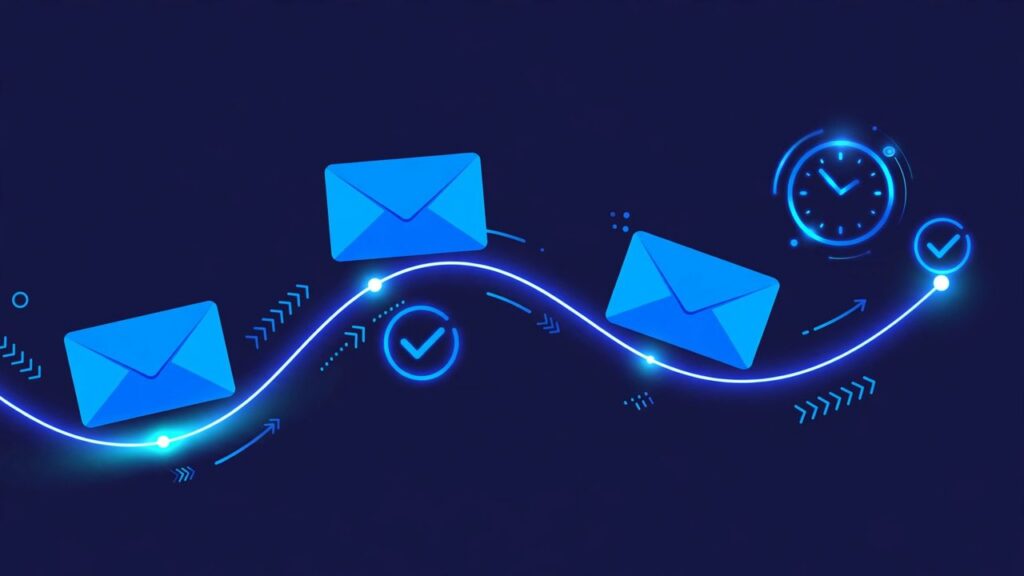
How do you automate follow-up emails for a small business? Pick one trigger, such as a new inquiry or an unanswered quote, write a short sequence of three or four emails in advance, and let your email tool or CRM send them on a set schedule. The sequence stops as soon as the person replies, books, or pays. You write the emails once. The system remembers them for you, every time.
Why do follow-ups get missed in the first place?
Most follow-ups are missed because the reminder lives in one person’s head. An inquiry arrives during a busy afternoon, a job runs late, a supplier calls, and the inquiry is still in the inbox three days later.
Automation fixes the memory problem, not the relationship. The first email can still be personal. What the system handles is the second, third, and fourth touch that most people never get around to sending.
Which follow-ups should you automate first?
Start with one sequence, not five. The best first candidate is the follow-up you send most often and forget most often. For many small businesses that is one of these:
- New inquiry: someone fills in your contact form or asks for a price and hears nothing back yet.
- Unanswered quote: you sent a proposal or estimate and the person went quiet.
- Finished job: the work is done, and you want a review, a referral, or a repeat booking.
- Missed appointment: someone booked a call or a visit and did not show up.
Pick the one that costs you the most when it is forgotten. For most service businesses, that is the unanswered quote, because the hard work of earning the inquiry and writing the quote is already done.
How do you set it up, step by step?
Step 1: Choose the trigger
A trigger is the event that starts the sequence. Keep it simple and automatic: a form is submitted, a contact is tagged as “quote sent” in your CRM, or a deal moves to a stage called “waiting for reply”. If a person has to remember to start the automation, you have not removed the original problem.
Step 2: Write the sequence before you open any tool
Write the emails in a plain document first. Four emails are enough for a quote follow-up. Each email needs one job, one or two short paragraphs, and one clear next step.
Step 3: Set the timing
A practical starting pattern for an unanswered quote is: day 2, a short check-in; day 5, a helpful extra detail; day 9, a direct question about timing; day 14, a polite closing email. Shorter gaps fit fast decisions, such as home repairs. Longer gaps fit considered purchases, such as bookkeeping.
Step 4: Add the stop rule
This is the step people skip, and it is the most important one. The sequence must stop when the person replies, books, pays, or unsubscribes. In most tools this is a built-in exit condition. Test it with your own email address first.
Step 5: Build it in the tool you already use
You do not need a new platform. HubSpot, Mailchimp, Kit, and ActiveCampaign all offer automated sequences, and a CRM connected with Make or Zapier can do the same job. Build the emails, attach the trigger and the stop rule, send yourself a test run, and only then switch it on. These sequences are one part of email marketing automation: messages sent because of what a customer did, not on a fixed schedule.
What should each email actually say?
Here is a concrete example for a small home cleaning company that sent a quote and heard nothing back. The same pattern works for a bookkeeper, a plumber, or a designer if you change the middle detail.
Email 1, day 2, the check-in: “Hi Anna, just checking you received the quote I sent on Tuesday for the deep clean. It was $240 for the full house, including the kitchen and two bathrooms. Happy to answer any questions about what is included.”
Email 2, day 5, the helpful detail: “Hi Anna, one thing the quote does not show: we bring all cleaning products and equipment, so you do not need to prepare anything. If a smaller regular clean fits better than a one-time deep clean, I can price that instead.”
Email 3, day 9, the timing question: “Hi Anna, are you hoping to get the clean done before a specific date? If you tell me the date, I will confirm whether we have a slot that week.”
Email 4, day 14, the polite close: “Hi Anna, I will close this quote for now so I stop filling your inbox. If you want to go ahead later, just reply to this email and I will reopen it.”
None of these emails says “just following up” with nothing new added. Each one gives a new fact, a new option, or an easier way to reply.
What this means for your business
Automating follow-up emails should not replace a personal reply when a conversation starts. It means no inquiry depends on you remembering it at the end of a long day. Every quote gets the same fair chance, and every quiet lead gets a polite close instead of silence.
Start with one sequence. Run it for a month, then look at two numbers only: how many replies it produced, and how many replies turned into booked work. If replies are low, change the middle emails first.
Keep Reading
Keep Reading:
Frequently Asked Questions
How many follow-up emails should a small business send?
Three or four emails are enough for most quote and inquiry follow-ups. Each email should add a new fact, a new option, or an easier way to reply. If an email adds nothing new, do not send it.
What tool do I need to automate follow-up emails?
Start with the tool you already use. HubSpot, Mailchimp, Kit, and ActiveCampaign can all send a timed sequence with a stop rule, and a CRM connected through Make or Zapier can do the same. You do not need a new platform for a first sequence.
How do I stop automated emails when someone replies?
Set an exit or stop rule before you launch: the sequence ends when the contact replies, books, pays, or unsubscribes. Test the rule by running the sequence on your own email address and replying to the first email.
Will automated follow-up emails sound robotic?
They sound robotic only if you write them that way. Write short emails in your normal voice, use the person’s name and one real detail from their inquiry or quote, and give each email one job. The automation handles the timing, not the tone.
Get 7 free AI automation lessons
Short, practical lessons for business owners, sent in Telegram. No fluff, one idea per lesson.
Keep Reading: How Does an AI CRM Handle Sales Follow-Ups All Week?


Leave a Reply