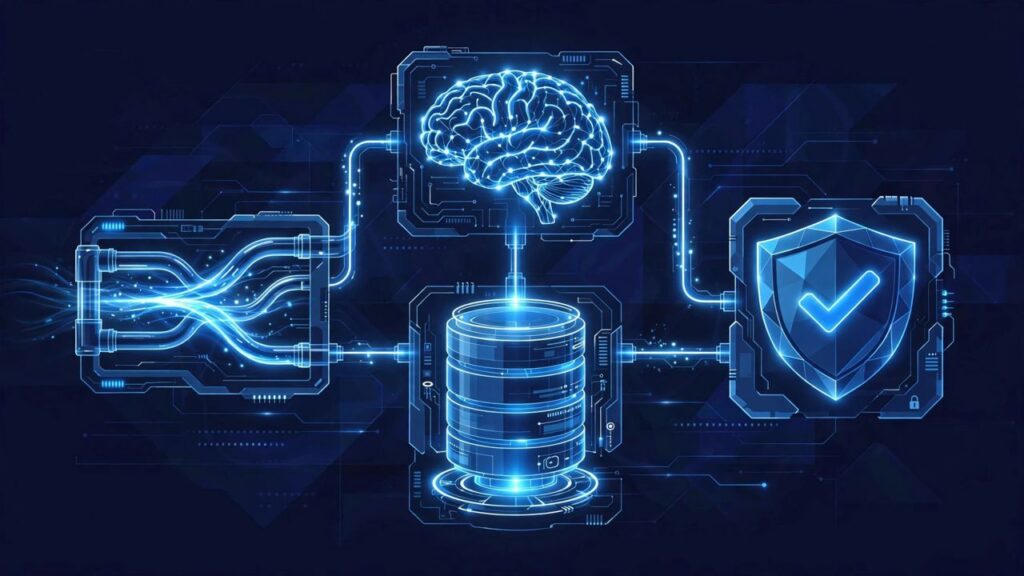
A business automation system needs four parts to actually work: one home for your data, pipes that move information between apps, a brain for work simple rules cannot handle, and a human checkpoint for anything unusual. Leave one out and the system starts to break, in ways your customers will notice.
The short video below covers the same four parts. This article turns each one into a check you can run on your own setup.
What are the four parts of a working automation system?
- The home: one clean database, usually a CRM, where every customer and every deal lives.
- The pipes: the connections that move information between apps on their own.
- The brain: an AI model that reads, sorts, and writes when a fixed rule is not enough.
- The checkpoint: alerts and approvals that bring in a real person when something looks unusual.
Each part has a different job. A pipe cannot clean your data. A brain cannot fix a missing record. A checkpoint cannot help if no alert reaches a person.
Part 1: Why does your data need one home?
The first part is a single home for your data: a CRM or one clean database where every customer and every deal lives. Not part in a spreadsheet, part in your inbox, and part in your phone.
Automation copies whatever it finds. If a customer appears twice with two email addresses, the system sees two customers. If a deal stage is updated in one place only, follow ups go out on the wrong stage. Without one clean home, automation just moves your mess faster.
A quick test for the home
Pick any recent customer: can you find their details, their history, and the current status of their deal in one place, in under a minute? If you need three apps, your data has no home yet.
Example: a cleaning company keeps leads in a form inbox, repeat clients in a spreadsheet, and quotes in email threads. A reminder built on that will miss people, because no single list is complete. One CRM fixes the reminder and every workflow after it.
Part 2: What do the pipes actually do?
The pipes are tools like Make, Zapier, or n8n, or your own custom logic running on a server. They connect your apps so information moves on its own.
A pipe does not decide anything. It carries. When a form is submitted, the pipe creates the CRM record. When a deal changes stage, the pipe creates the next task. When an invoice is paid, the pipe updates the record.
How do you know if a pipe is missing?
Look for copy and paste moments in your week: re typing a name from an email into a spreadsheet, or moving a booking into a task list by hand. Each one marks a missing pipe.
Part 3: Where does the AI brain fit?
The third part is the brain: an AI model that reads, sorts, and writes for everything that simple rules cannot handle. Rules are good at exact matches. If the stage is X, do Y. Real business messages are rarely that tidy.
A customer email can be a question, a complaint, and a new request in one paragraph. A rule cannot sort that reliably. An AI model can read it, sort it into the right category, and write the record update that belongs with it.
Save the brain for steps that need reading and judgment. Plain steps, like moving a paid invoice to a paid list, belong in the rules.
Part 4: Why do you still need a human checkpoint?
The fourth part is a human checkpoint: alerts and approvals so a real person steps in when something looks unusual. This is not a lack of trust in the system. It is what makes the system safe to trust.
Most records are routine, and the system should handle them alone. The checkpoint is for exceptions: a record that matches no category, a request outside your normal work, or an output that looks wrong. Then the workflow stops, sends an alert, and waits for approval.
What does a good checkpoint look like?
It is specific: what happened, which customer or deal it concerns, and what the system wants to do next, with one action to approve or reject. A vague alert will be ignored within a week.
What happens if one part is missing?
- No home: the pipes move bad or split data, and every workflow inherits the errors.
- No pipes: your team becomes the connection between apps, copying data by hand and forgetting steps.
- No brain: anything that needs reading or judgment piles up for a person, so the system only handles the easiest work.
- No checkpoint: unusual cases go through unchecked, and the first sign of a problem is an unhappy customer.
How can you check your own system this week?
Take one workflow, for example new lead follow up, and ask four questions. Where does the lead record live, and is that the only place? What moves it to the next step, a person or a pipe? Which step needs reading or judgment, and who or what does it? If the lead looks unusual, who gets alerted?
If one answer is fuzzy, you have found the weak corner. Fix that part before adding new automation on top of it.
What this means for your business
You do not need a bigger tool stack. You need the four parts in place, in this order: home, pipes, brain, checkpoint. Build one piece at a time, test it on one workflow, then add the next. With all four in place, every new automation has somewhere solid to stand.
Keep Reading
Get free AI automation lessons for your business. Join the Telegram channel for one practical lesson a day, in plain language, for small business owners.
Frequently asked questions
What does a business automation system need to actually work?
It needs four parts: one home for your data such as a CRM, pipes that move information between apps, an AI brain for work that simple rules cannot handle, and a human checkpoint for unusual cases. Missing any one part makes the whole system fragile.
Do I need a CRM before I automate anything?
Yes, in practice. The CRM or clean database is the home the rest of the system reads from and writes to. Automating on top of scattered spreadsheets and inboxes copies the confusion into every workflow.
What is the difference between the pipes and the brain?
The pipes, such as Make, Zapier, or n8n, move information between apps without deciding anything. The brain, an AI model, reads, sorts, and writes when a message or record needs judgment that a fixed rule cannot provide.
Why keep a human checkpoint if the system works?
Because unusual cases will happen: a record that fits no category or a request outside your normal work. Alerts and approvals let a person step in for those cases before a mistake reaches a customer.
Keep Reading: How to Write a When If Then Automation Rule
Keep Reading: AI Workflow Automation Example for Small Business



Leave a Reply